Design and accessibility
WCAG 2.2 inside the design system
Turn focus, target size and accessible authentication into reusable product rules.
The central idea
Accessible components prevent repeated mistakes. Conformance still requires testing complete journeys with real content and states.
WCAG 2.2 adds criteria for focus, target size, dragging, redundant entry and accessible authentication. Solving them page by page creates inconsistent results.
A design system can encode minimum targets, larger touch areas, visible focus, sticky headers that do not obscure focus and alternatives to complex gestures.
Accessible coverage by layer
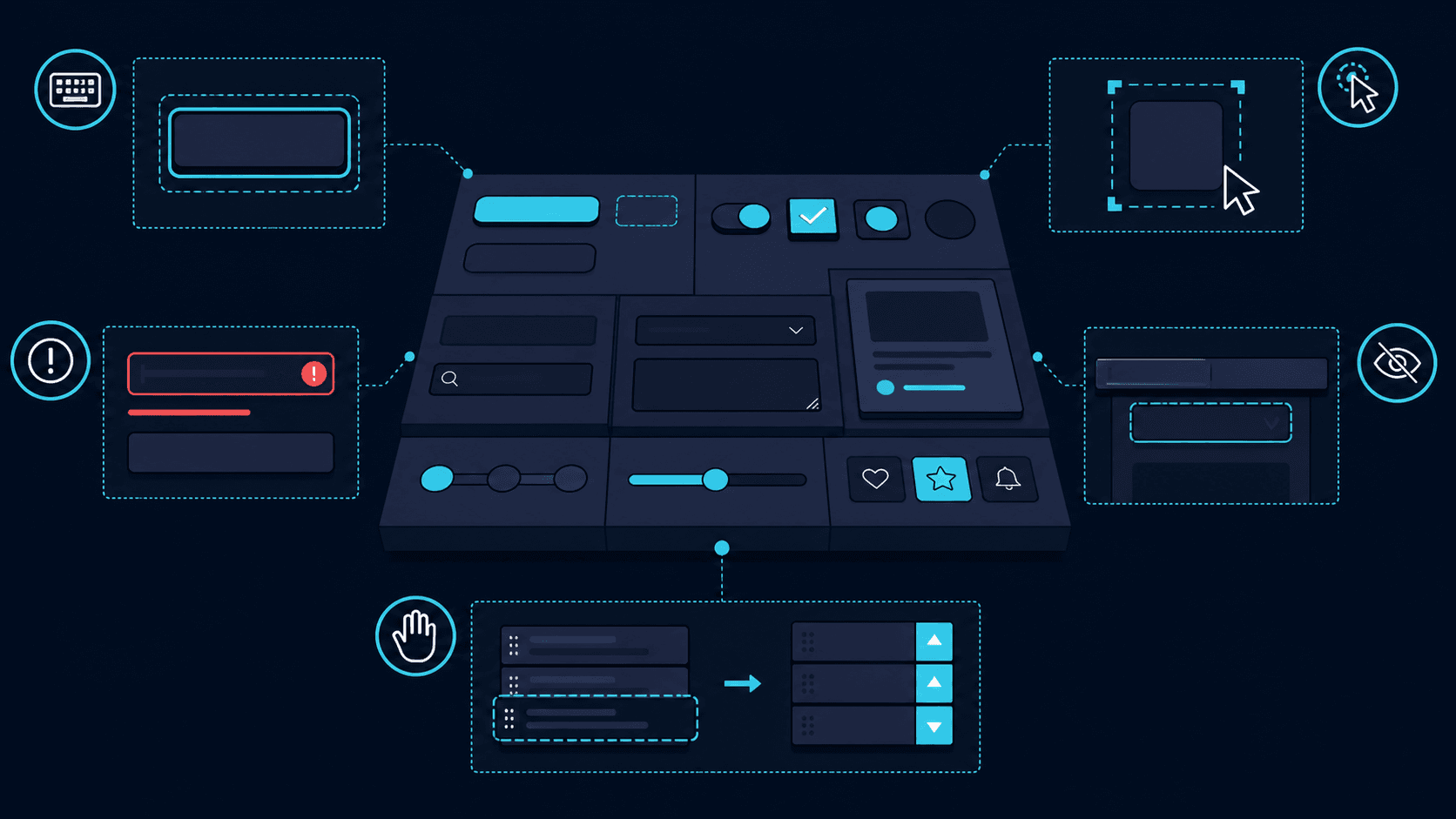
Components need complete states: labels, help, associated errors, contrast, keyboard order and behavior under zoom belong in both implementation and documentation.
Automation catches attributes and contrast, while keyboard, screen-reader, zoom and comprehension testing still require human review.
Turn criteria into contracts
A button defines size, contrast, focus, disabled state and accessible name. A modal defines initial focus, trapping, closing and focus return. Expressing these behaviors as contracts gives every product a consistent base and makes exceptions visible in code review and documentation.
Design focus and targets in the component
The indicator must retain contrast and remain visible below sticky headers. Icon buttons need a sufficient touch surface even when the icon is small. Dense groups may satisfy the criterion through spacing, while mobile usually benefits from 44 pixels as a practical target.
Forms and authentication without cognitive friction
Persistent labels, associated help, actionable errors and correct autocomplete reduce work for everyone. Authentication should support password managers, paste and alternatives to cognitive puzzles. A screen-reader announcement needs to explain what failed and how to continue.
Govern through layered testing
Lint, unit tests and axe cover part of the semantics. Manual review adds keyboard, zoom, reflow, screen readers and content comprehension. The design system should publish examples and acceptance criteria so accessibility does not depend on one person remembering every rule.
Teaching case
A correct form inside an inaccessible modal
A field has a label, help and an associated error. Inside a modal, focus remains behind the dialog and a fixed header hides the control. The component passes isolated checks while the complete keyboard journey fails.
Specify initial focus, Escape behavior, focus return and error announcements. Long forms may work better on a page with more room and predictable navigation. A modal should have a reason to interrupt the current context.
WCAG 2.2 focus-not-obscured minimum and minimum target size are AA; focus appearance is AAA. The 24 × 24 CSS-pixel target criterion includes exceptions such as sufficient spacing. Choosing 44 × 44 for a system can improve touch use without making it the AA minimum.
Choices and their tradeoffs
| Situation | Choice | Tradeoff |
|---|---|---|
| Icon-only button | Provide a name and sufficient hit area. | A tooltip replaces neither. |
| Validation error | Associate actionable text with the field. | Color alone cannot explain a failure. |
| Dragging interaction | Offer a non-dragging pointer alternative. | Keyboard support alone does not cover this criterion. |
Scroll the table to compare all three columns.
Put it into practice
Test the form as a complete task
- Open, complete, trigger an error and close using a keyboard.
- Check zoom, reflow and focus under fixed elements.
- Verify names and announcements with a screen reader.
What to verify: The person can locate focus, correct mistakes and complete the journey without relying on visual cues alone.
The system removes repetition
WCAG 2.2 becomes manageable when requirements live in reusable decisions. A system cannot guarantee an accessible product by itself, but it prevents every team from repeating the same foundational mistakes.
Continue reading
AI and agents
MCP agents: useful by design, safe by control
How to expose tools to an agent without turning every integration into an implicit permission.
Cloud and platform
The internal platform now serves teams and agents
Golden paths, self-service and policies for organizations where people and agents consume the same platform.